Making a Pull Request
Contributions to Servo or its dependencies should be made in the form of GitHub pull requests. Each pull request will be reviewed by a core contributor (someone with permission to land patches) and either landed in the main tree or given feedback for changes that would be required. All contributions should follow this format, even those from core contributors.
Pull request checklist
-
Branch from the main branch and, if necessary, rebase your branch to main before submitting your pull request. If it doesn’t merge cleanly with main you may be asked to rebase your changes.
-
Run
./mach fmtand./mach test-tidyon your change. -
Commits should be as small as possible, while ensuring that each commit is correct independently (i.e., each commit should compile and pass tests).
-
Commits should be accompanied by a Developer Certificate of Origin sign-off, which indicates that you (and your employer if applicable) agree to be bound by the terms of the project license. In git, this is the
-soption togit commit. -
If your patch is not getting reviewed, or you need a specific person to review it, you can @-reply a reviewer asking for a review in the pull request or a comment, or you can ask for a review in the Servo chat.
-
Add tests relevant to the fixed bug or new feature. For a DOM change this will usually be a web platform test; for layout, a reftest. See our testing guide for more information.
Opening a pull request
First, push your branch to your origin remote.
Next, either open the URL that is returned by a successful push to start the pull request,
or visit your Servo fork in your web browser and follow the UI prompts.
jdm@pathfinder servo % git push origin issue-12345
Enumerating objects: 43, done.
Counting objects: 100% (43/43), done.
Delta compression using up to 12 threads
Compressing objects: 100% (29/29), done.
Writing objects: 100% (29/29), 5.13 KiB | 5.13 MiB/s, done.
Total 29 (delta 25), reused 0 (delta 0), pack-reused 0
remote: Resolving deltas: 100% (25/25), completed with 14 local objects.
remote:
remote: Create a pull request for 'issue-12345' on GitHub by visiting:
remote:      https://github.com/jdm/servo/pull/new/issue-12345
remote:

Title and description
In Servo, commits in pull requests are squashed and the pull request title and description are used to create the final commit message (example). It’s important that the information in both the title and description fully describes the change, as it makes the commit useful for those looking at the repository history and makes Servo a healthier project as a whole.
The pull request title should succinctly describe what a change does. Some tips:
- Prefix the title with the lower-case name of the crate you are working on. For example, if the change modifies code in the “script” crate, prefix the title with “script: “. If a change affects multiple crates, identify which crate is the primary “source” of the change or just omit the prefix.
- Titles should be written as an imperative (a request or command) sentence with a verb. For instance “layout: Skip box tree construction when possible.” Try to avoid generic verbs such as “fix”, “correct”, or “improve” and instead describe what the fix does. Code can be fixed multiple times, but the message should more uniquely identify the change.
- Prefixes should be lower-case and the rest of the title should only capitalize the first word and proper nouns (such as the name of data structures or specification concepts such as WebDriver). When in doubt follow what is written in the specification. Please do not use “Title Casing for Commit Messages.”
The pull request description should:
- Describe the original problem or situation (perhaps linking to any open bugs).
- Describe how the change fixes the problem, improves the code, or prepares for some followup change.
- Explain any caveats with the change, such as newly failing tests, performance degradation, or uncovered edge cases. Discuss how these can be addressed in the future.
- Be written in multiple sentence paragraphs of text with either consistent wrapping (80 characters or less) or no wrapping at all (as GitHub will do this automatically).
The default pull request template includes several prompts; please fill them out by replacing the original instructions.
The “Testing” prompt is particularly important, since it helps streamline the review process. It asks:
- Are there already automated tests that cover the code that is being changed?
- If not, does this pull request include new automated tests?
- If not, what prevents adding at least one new test?
If you don’t know the answer, please write that down! It can always be rewritten later based on the reviewer feedback.
Addressing review comments
Prefer appending new commits to your branch over amending existing commits. This makes it easier for Servo reviewers to only look at the changes, which helps pull requests get reviewed more quickly.
git commit -s -m "script: Fix deadlock with cross-origin iframes."
git push origin issue-12345
Addressing merge conflicts
When a pull request has merge conflicts, the two most common ways to address them are merging and rebasing. Please do not press the “Update branch” button on the pull request; this performs a merge and will prevent some Servo CI functionality from working correctly.
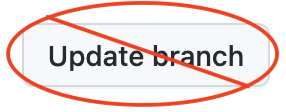
Instead, first update your local main branch, then rebase your feature branch on top of the main branch, then force push the changes.
git checkout issue-12345
git pull --rebase upstream main
git push -f origin issue-12345
When a rebase encounters conflicts, you will need to address them:
jdm@pathfinder servo % git rebase main issue-12345
Auto-merging components/script/dom/bindings/root.rs
CONFLICT (content): Merge conflict in components/script/dom/bindings/root.rs
Auto-merging components/script/dom/node.rs
error: could not apply 932c8d3e97d... script: Remove unused field from nodes.
hint: Resolve all conflicts manually, mark them as resolved with
hint: "git add/rm <conflicted_files>", then run "git rebase --continue".
hint: You can instead skip this commit: run "git rebase --skip".
hint: To abort and get back to the state before "git rebase", run "git rebase --abort".
Please follow the GitHub documentation for resolving conflicts.
Running tests in pull requests
When you push to a pull request, GitHub automatically checks that your changes have no compilation, lint, or tidy errors.
To run unit tests or Web Platform Tests against a pull request, add one or more of the labels below to your pull request. If you do not have permission to add labels to your pull request, add a comment on your bug requesting that they be added.
| Label | Runs unit tests on | Runs web tests on |
|---|---|---|
T-full | All platforms | Linux |
T-linux-wpt | Linux | Linux |
T-macos | macOS | (none) |
T-windows | Windows | (none) |
The DevTools tests are experimental and not yet enabled by default.
It is highly recommended that pull requests that modify DevTools code run them.
To do so, add the T-linux-devtools label.
As with Web Platform Tests, if you do not have permission to add labels, comment to request that it is added.